


|
Name |
Penly |
|---|---|
|
Google Play Link |
GET IT ON
Google Play
|
|
Category |
Productivity |
|
Developer |
Penly |
| Last version | 1.23.19 |
|
Updated |
|
|
Compatible with |
Android 7.0+ |
What is Penly APK?
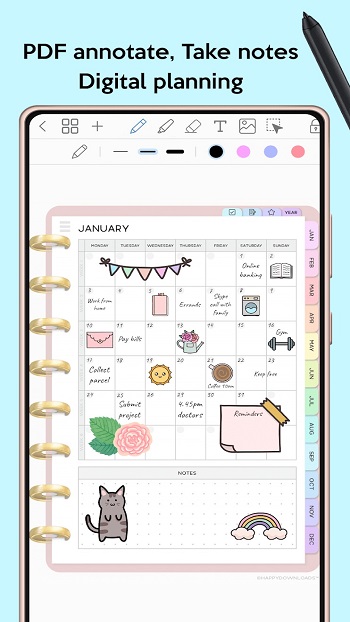
Penly is a mobile productivity app built for Android users who want a more flexible and visual way to manage their day. It functions as a digital planner, journal, and note-taking tool all in one. Designed with a clean interface and practical tools, Penly gives users an easy way to write, draw, organize, and plan without the clutter of paper or the limitations of basic calendar apps.
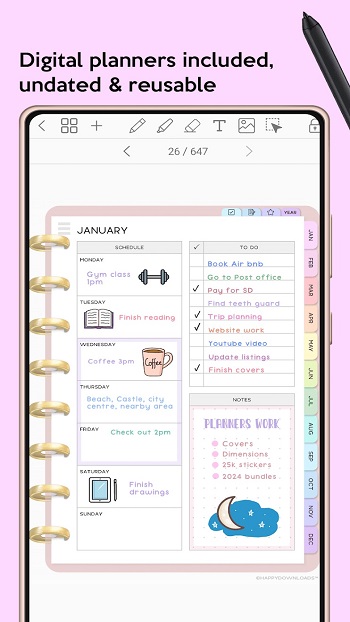
At its core, Penly lets you create structured daily, weekly, or monthly plans using built-in templates. You can write directly with your finger or stylus, type text, insert images, or use stickers for a more personalized feel. Each planner is undated, so users can reuse pages anytime without needing to wait for a new version.
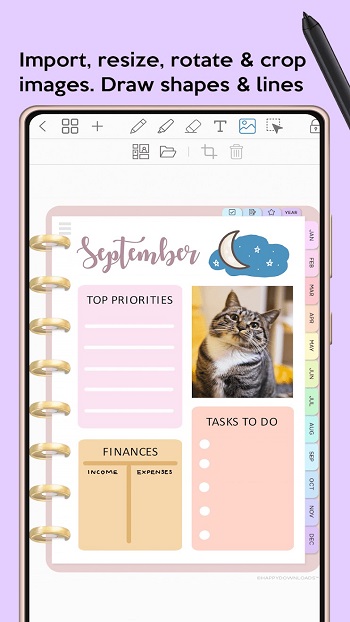
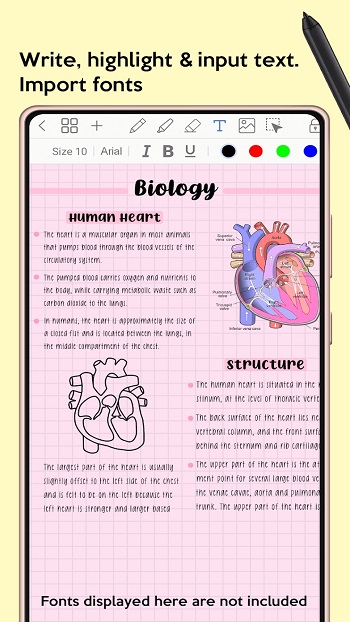
One thing that stands out is how customizable everything is. From importing your own PDF files to creating hyperlinks between pages, Penly adapts to whatever planning style works for you. It even supports custom fonts, image editing, grouping objects, and handwriting-to-text conversion, which makes it great for users who like creative flexibility.
Penly is also practical for staying organized long-term. You can build folders and subfolders, favorite your sticker collections, and rearrange your documents or pages as needed. Everything opens right where you left off, saving you from digging around every time you return to the app.
There are advanced features too — like voice memos, document scanning, and automatic reminders for key events. The app includes tools for financial tracking and quick search, and even lets you create reusable templates for commonly used information. Whether you're planning a project, budgeting your month, or prepping a presentation, these tools help you get it done faster.
That said, Penly has a few limitations. It only supports English, and full access requires a one-time purchase — though there’s a 7-day refund window. Also, while it syncs with Google Drive across Android devices, there's no iOS version, which may be a downside for Apple users.
Penly works best for students, professionals, and digital journaling fans who prefer full control over how they plan and organize. If you're juggling multiple tasks, hate flipping between separate apps, or just want something a bit more visual than Google Calendar, it fits right in.
FAQs Penly
What is Penly?
+
Penly is an Android app that works as a digital planner, note tool, and journal with handwriting support, PDF import, and customizable templates.
Does Penly support handwriting input?
+
Yes, Penly lets you write directly on pages using your finger or stylus, and it can even convert handwriting to text automatically.
Can I import my own PDF planner into Penly?
+
You can import any PDF file into Penly, use its hyperlinks, and even export it later as a Penly or PDF file.
Is Penly available on iPhone or iPad?
+
No, Penly is currently available only on Android devices and does not have an iOS version.
How does Penly help with budgeting?
+
Penly includes templates that let you track income and expenses monthly, so you can keep tabs on spending habits directly inside the app.
Discover More Interesting Apps
-
 Mod
Mod
Todoist
vv12256
44.57 Mb
Updated -
Mod
Kilonotes
v3.33.1
162.74 Mb
Updated -
Mod
Grok 3
v1.2.25-release.02
53.39 Mb
Updated -
Grok
v1.2.25-release.02
53.39 Mb
Updated -
Caller ID
v2.1.7
26.55 Mb
Updated -
Mod
PDFelement
v6.1.14
171.40 Mb
Updated -
Saturn App
v3.41.01.1586
51.77 Mb
Updated -
Mod
Claude AI
v1.260824.0
45.00 Mb
Updated -
Cici - Your AI assistant
v14.8.0
346.75 Mb
Updated -
Manus AI
v26.14.1
134.06 Mb
Updated








Share Your Thoughts